
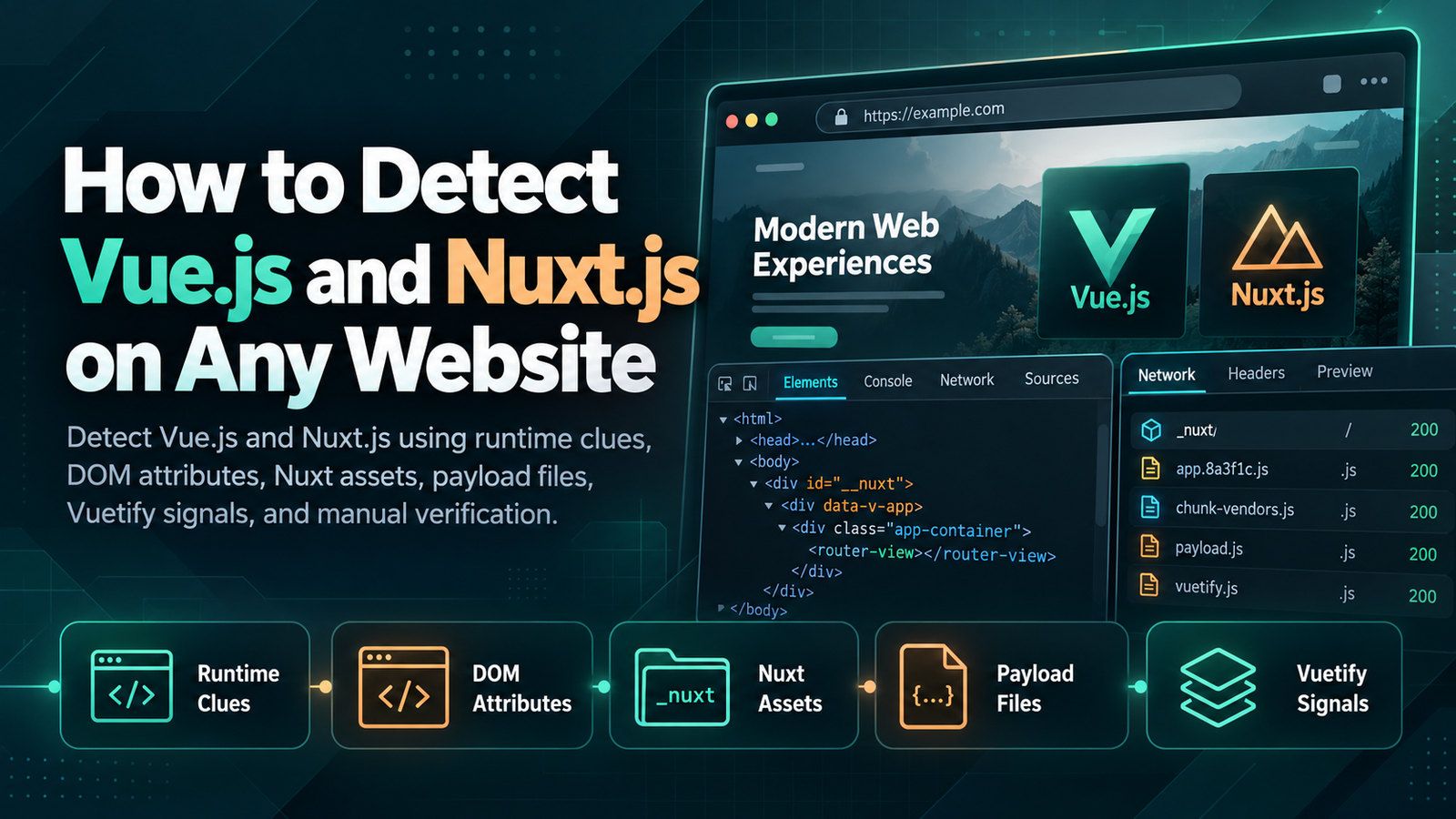
Vue.js and Nuxt are widely used to build modern websites, dashboards, ecommerce storefronts and web applications.
If you are researching a website's technology stack, you may want to know whether the frontend uses Vue, whether the project is built with Nuxt, or whether a UI framework such as Vuetify is also involved.
Detecting these technologies is not always straightforward.
A development build can expose obvious framework information, while a production website may bundle and minify most of its JavaScript. Nuxt can also render pages on the server, generate static HTML, or use client-side rendering, which changes the signals visible in the browser.
The best approach is therefore to combine several clues instead of relying on one string in the source code.
This guide explains how to detect Vue.js, how to identify Nuxt, what Nuxt assets and payload files look like, how Vue differs from Nuxt during technology detection, and how to recognize Vuetify without creating false positives.
If you want to inspect several website technologies at once, you can also start with the WebBuildFinder website technology detector and then manually verify the results.
Vue.js Detection
Vue.js is a frontend JavaScript framework used to build interactive user interfaces.
Unlike WordPress or Shopify, Vue does not always leave an obvious URL structure that identifies the framework immediately.
Most Vue applications are compiled before deployment. In production, JavaScript is commonly bundled and minified, and Vue's development-only debugging features are normally removed. Vue's own deployment guidance recommends production builds that strip unnecessary development code.
This means a simple search for the word Vue may work on some websites but fail completely on others.
Start With JavaScript Files
Open browser developer tools and select the Network tab.
Reload the page and filter requests by JavaScript.
Look for:
- Vue related file names
- Framework chunks
- Runtime files
- Bundled dependencies
- Source map references
A website that loads Vue directly from a CDN may expose file names such as:
These are strong signals because they are official Vue production builds. Vue documents these files for sites that load the framework directly rather than through a bundler.
Most modern Vue projects, however, use tools such as Vite or Webpack. In those cases, Vue can be bundled inside larger application files.
You may see files with generic names such as:
The file name alone may reveal nothing.
Search Inside Bundled JavaScript
Open the downloaded JavaScript files and search for terms such as:
These can provide useful clues, but they should still be verified.
Another library could include Vue as a dependency, or a third party widget could use Vue without the main website being a Vue application.
Use Vue DevTools Carefully
The Vue DevTools browser extension can help identify Vue applications during development and on some production sites.
However, production detection is not guaranteed. Vue development tooling can be disabled or removed from production builds, and the Vue documentation notes that production builds commonly omit development-only features.
If Vue DevTools does not detect the website, that does not prove Vue is absent.
Vue Runtime Clues
Vue runtime clues come from the JavaScript that creates and updates the user interface.
These clues can be especially useful when obvious file names have been removed.
Look for Vue Runtime Functions
A bundled Vue 3 application may contain recognizable runtime concepts related to:
- Application creation
- Virtual DOM nodes
- Reactivity
- Component mounting
- Hydration
Searching bundled code for functions or strings related to Vue can help confirm the framework.
Do not depend on one function name, because minification can rename local variables and bundlers may restructure code.
Check Browser Globals
Older Vue setups or websites loading global Vue builds may expose a browser variable associated with Vue.
This is less reliable with modern module-based applications because ES modules do not need to create a global Vue object.
A missing global variable therefore tells you very little about a modern production site.
Development Clues vs Production Clues
This distinction matters.
A local development build may expose warnings, debugging hooks and detailed runtime information.
A production build is normally optimized to remove much of that information. Vue explicitly recommends production builds for smaller payloads and reduced development overhead.
A good Vue detector should therefore work with several kinds of signals rather than depending on development hooks alone.
Vue DOM Attributes
The rendered HTML can also provide clues that Vue is being used.
One of the most useful patterns is the presence of attributes that begin with:
For example:
Vue uses attributes like these when Single File Components contain scoped CSS.
Vue's documentation shows that scoped styles are transformed so the generated HTML receives a unique data-v- attribute, while the CSS selector receives the same attribute.
Why data-v Attributes Are Useful
Finding many matching data-v- attributes across a page is a strong clue that Vue Single File Components may have been used.
You can check for them by:
- Opening browser developer tools
- Selecting the Elements tab
- Searching for
data-v-
You can also search the raw HTML source.
Why data-v Does Not Prove Vue by Itself
These attributes can remain in server-rendered or statically generated HTML, and copied or transformed markup could theoretically contain similar patterns.
More importantly, not every Vue component uses scoped CSS.
A Vue website may therefore contain no obvious data-v- attributes at all.
Use these attributes as supporting evidence rather than a standalone test.
Do Not Search for v-if or v-for in the Final DOM
Vue template directives such as:
are normally compiled as part of the application build process.
You should not expect the final rendered DOM to contain those original template directives.
If you are trying to detect Vue from a production website, runtime code, scoped CSS attributes and framework assets are more useful clues.
Nuxt Detection
Nuxt is a framework built around Vue that adds application structure, routing, server rendering, data fetching and other full-stack capabilities.
This creates an important distinction:
If a website uses Nuxt, it also uses Vue for the application layer, but a Vue website does not necessarily use Nuxt.
Nuxt can be easier to detect than plain Vue because it often creates recognizable asset and hydration patterns.
Look for the _nuxt Directory
One of the strongest Nuxt clues is the default build asset path:
For example:
Current Nuxt configuration documentation lists /_nuxt/ as the default build assets directory.
Open the page source or Network tab and search for:
If several JavaScript and CSS resources load from this location, Nuxt is very likely involved.
Why _nuxt Can Be Hidden
Nuxt allows developers to change the build assets directory.
It can also serve assets through a CDN URL instead of the original domain.
That means the absence of /_nuxt/ does not prove the website is not using Nuxt.
Check for Nuxt Hydration Data
Modern Nuxt applications that use server rendering may include serialized application data in the HTML so the client-side Vue application can hydrate the server-rendered page.
One useful modern clue is:
Current Nuxt source code looks for an element with the ID __NUXT_DATA__ when retrieving the client payload.
If you find both __NUXT_DATA__ and /_nuxt/ resources, that combination is strong evidence of a Nuxt application.
Older Nuxt Sites
Older Nuxt 2 sites may expose different patterns, including a client-side __NUXT__ object.
This means a detector should account for both older Nuxt generations and current Nuxt applications instead of looking for only one marker.
Nuxt Assets and Payloads
Nuxt assets and page payloads are among the most useful fingerprints when trying to distinguish Nuxt from a plain Vue application.
Built Assets
As mentioned above, Nuxt uses /_nuxt/ as its default build asset directory.
These files may include:
- Entry JavaScript
- Route chunks
- Component chunks
- CSS bundles
- Preloaded resources
A page with multiple assets under this path is a strong Nuxt clue.
Nuxt Payload Files
Modern Nuxt can generate separate page payload files with names such as:
Nuxt uses these payloads for prerendered and cached routes so client-side navigation can reuse page data without fetching everything again.
Open the Network tab and navigate between pages on the site.
If requests for _payload.json appear alongside Nuxt assets, that is another useful signal.
Do All Nuxt Sites Have _payload.json?
No.
Payload extraction can be configured, and different rendering modes behave differently.
Nuxt allows payload extraction to be enabled, disabled, or handled differently depending on the rendering configuration.
This is important for technology detection because a missing payload file does not rule out Nuxt.
Server Rendering Can Hide More Clues
A Nuxt page can arrive as fully rendered HTML.
From a casual look at the page source, it may appear to be an ordinary server-rendered website.
The stronger clues often appear in hydration data, JavaScript assets and client navigation requests.
Vue vs Nuxt
Vue and Nuxt are closely related, but detecting one does not mean you have detected the other.
When You Detect Vue but Not Nuxt
The application may be a standard Vue project created with Vite or another build tool.
It could also use a different Vue framework.
When You Detect Nuxt
You can reasonably infer that Vue is part of the frontend stack because Nuxt is designed as a full-stack Vue framework. Current Vuetify documentation also describes Nuxt as a framework for building full-stack Vue applications.
Why a Technology Detector May Show Both
If WebBuildFinder or another detector reports both Vue and Nuxt, that is not duplicate information.
Vue identifies the underlying frontend framework, while Nuxt identifies the higher-level application framework built around it.
Vuetify Detection
Vuetify is a UI component framework for Vue.
A website can therefore use:
- Vue without Vuetify
- Nuxt without Vuetify
- Vue with Vuetify
- Nuxt with Vuetify
Vuetify describes itself as a Vue component framework with a large collection of ready-made interface components.
Look for Vuetify Class Names
Vuetify components often create recognizable classes in the rendered interface.
You may encounter class names related to components such as:
Finding many consistent Vuetify style classes across a page can be useful supporting evidence.
Search JavaScript and CSS
Inspect loaded assets and search for:
Vuetify installation typically includes framework styles and the creation of a Vuetify instance. Current Vuetify setup documentation uses createVuetify and imports Vuetify styles when configuring applications.
Vuetify With Nuxt
Vuetify can also be integrated into Nuxt projects.
That means a website may expose Nuxt asset signals, Vue scoped CSS signals and Vuetify component classes at the same time.
Seeing all three layers can provide a detailed picture of the frontend stack:
- Vue as the frontend framework
- Nuxt as the application framework
- Vuetify as the UI component library
Do Not Detect Vuetify From One v- Class
Many developers use class names beginning with the letter v.
A single class such as v-button should not be treated as proof.
Look for repeated component naming patterns, matching styles and JavaScript evidence.
Common False Positives
Vue and Nuxt detection can produce false positives when signals are interpreted too aggressively.
A Third Party Widget Uses Vue
A website may be built with another framework while a chat widget, booking tool or embedded application uses Vue.
If Vue code appears only inside one third party script, do not classify the entire site as Vue without additional evidence.
Old JavaScript Remains on the Site
Developers sometimes leave obsolete bundles in public directories.
A file containing Vue does not prove that the current page actually executes it.
Check the Network tab to confirm the resource is actively loaded.
data-v Attributes Are Overinterpreted
data-v- attributes are associated with Vue scoped CSS, but they should still be confirmed with JavaScript or framework evidence.
Do not use one attribute as your entire detection method.
Nuxt Asset Paths Can Be Customized
A detector that only searches for /_nuxt/ will miss applications where developers changed the build assets directory or configured a CDN. Nuxt explicitly supports both options.
Vue DevTools Does Not Detect the Site
This is not proof that Vue is absent.
Production Vue applications can remove development integrations and debugging code.
One Nuxt Marker Is Left Behind
A migrated website may retain old assets or cached HTML after the main application has changed.
Check whether Nuxt assets and payload requests are currently active before assuming the whole website still uses Nuxt.
Vuetify-Like Classes Are Custom CSS
A developer can create class names that resemble Vuetify conventions.
Confirm suspected Vuetify usage with CSS, JavaScript and repeated component patterns.
How to Verify Vue.js or Nuxt Before Reporting It
The most reliable technology detection process uses multiple independent signals.
For Vue, try to confirm at least two of the following:
- Vue runtime code
- Vue related JavaScript
- data-v scoped CSS attributes
- Vue DevTools detection
- Recognizable framework runtime behavior
For Nuxt, look for a combination such as:
- /_nuxt/ assets
- __NUXT_DATA__ hydration data
- _payload.json requests
- Nuxt related JavaScript
- Vue runtime evidence
If several of these appear together, the result becomes much more reliable.
Detect Vue.js and Nuxt.js With WebBuildFinder
Manually checking JavaScript bundles, DOM attributes, payload files and network requests is useful when you want to verify a technology in detail.
For a faster starting point, enter the website into WebBuildFinder.
A technology scan can help identify publicly visible frontend frameworks, libraries, CMS platforms, analytics tools, CDN services and other parts of the website stack.
If you want to learn the broader process first, read our guide on how to find out what technology a website uses.
You can also read what is this website built with for a complete overview of frontend, backend, CMS and infrastructure detection.
Frequently Asked Questions
How can I tell if a website uses Vue.js?
Inspect its JavaScript bundles, search for Vue runtime code, look for scoped CSS attributes beginning with data-v-, and check whether Vue DevTools recognizes the application. Use several signals together because production builds can hide obvious framework references.
How can I tell if a website uses Nuxt?
Look for resources under the default /_nuxt/ path, Nuxt hydration data such as __NUXT_DATA__, and page payload requests such as _payload.json. These are strong clues when several appear together.
Does Nuxt always use Vue?
Nuxt is a framework built for Vue applications, so detecting Nuxt also indicates that Vue is part of the application stack.
Does every Nuxt site use /_nuxt/?
No. /_nuxt/ is the default build asset directory, but developers can customize it or serve assets through a CDN.
Does data-v mean a site definitely uses Vue?
It is a useful Vue clue because Vue scoped CSS generates data-v- attributes, but one attribute should not be treated as absolute proof. Confirm it with JavaScript or other Vue signals.
How do I detect Vuetify?
Look for repeated Vuetify component classes, Vuetify CSS or JavaScript, and references such as createVuetify. Confirm several clues before reporting Vuetify because custom CSS can use similar class names.
Final Thoughts
Vue.js and Nuxt detection works best when you understand how modern production applications are built.
Vue itself can be difficult to recognize after bundling and minification, while Nuxt often provides additional clues through its build asset paths, hydration data and page payloads.
Vuetify adds another layer that can sometimes be identified through UI component classes and framework assets.
The key is not to depend on one fingerprint.
Combine runtime evidence, DOM attributes, JavaScript files, Nuxt assets and network requests before deciding which technology is being used.
If you want a faster first check, scan the website with WebBuildFinder and then manually verify the most important findings.