
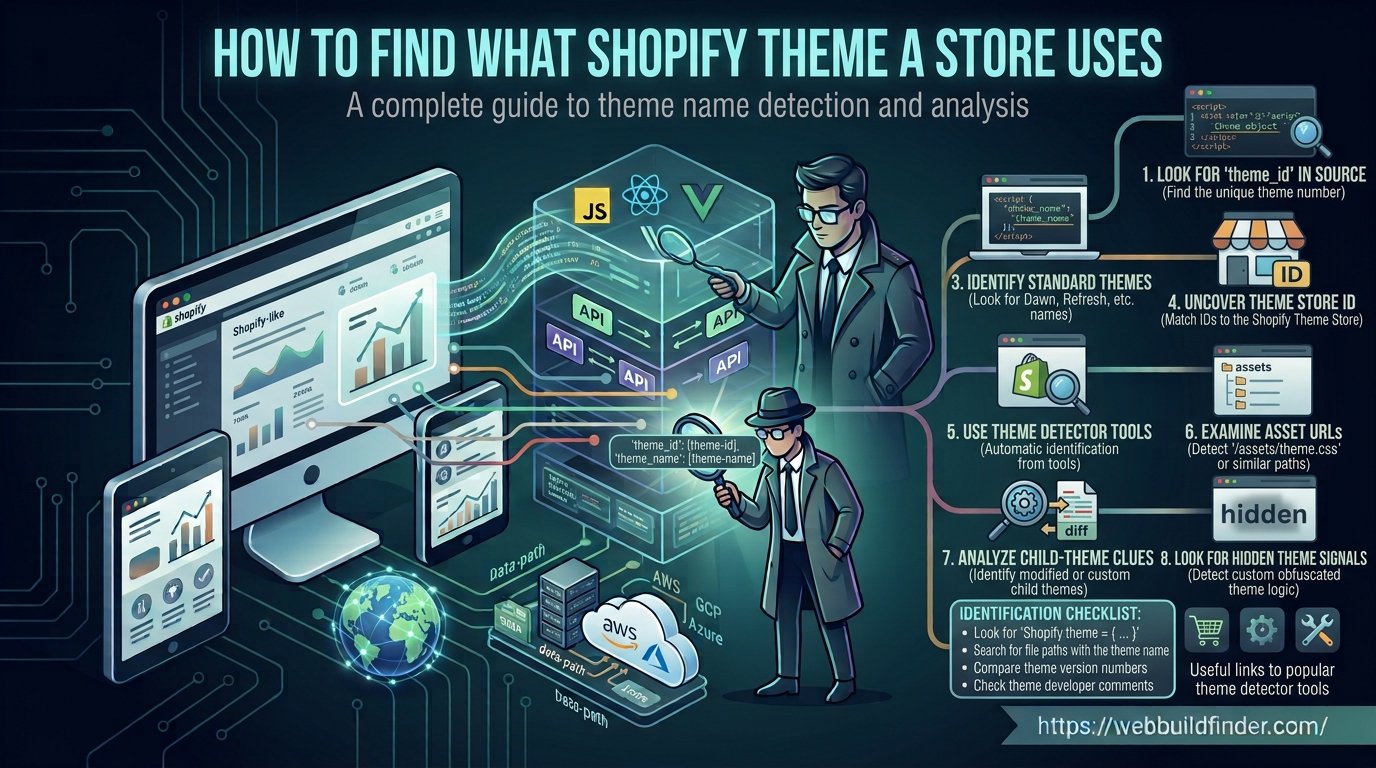
You find a Shopify store with a layout you like and immediately want to know one thing: what Shopify theme is this store using?
Sometimes the answer is easy to find. A store may use a recognizable public theme with assets that clearly point to its name.
Other times, theme detection is much more difficult.
The merchant may have renamed the theme, heavily modified its files, built a custom Shopify theme or moved to a headless storefront where there is no traditional Shopify theme visible at all.
This guide explains how Shopify theme detection works, what information can actually be found from a public store and why some theme detector results should be treated as clues rather than guaranteed answers.
What Is a Shopify Theme Detector?
A Shopify theme detector analyzes public storefront information and looks for patterns that may reveal which theme is being used.
Depending on the store, a detector may examine:
- HTML source code
- Theme assets
- CSS files
- JavaScript files
- Section markup
- Theme specific class names
- Public metadata
- Known theme fingerprints
You can use WebBuildFinder as a starting point to identify Shopify and inspect publicly detectable theme information.
If you are not sure whether the store uses Shopify at all, start with our guide on how to tell if a website uses Shopify.
Shopify Theme Detection Explained
A traditional Shopify Online Store uses a theme to control the way pages are presented.
The theme can contain templates, sections, snippets, CSS, JavaScript, images, settings and other storefront assets.
When a visitor opens the store, many of those assets need to be delivered to the browser.
That creates the opportunity for theme detection.
A detector can compare visible storefront patterns against known themes. If the structure or assets closely match a known theme, it may be possible to identify the original theme.
Theme Detection Is Not the Same as Theme Access
A public visitor does not receive the merchant's complete theme project.
You see only the resources required to render the public storefront.
Private settings, unpublished files and admin information are not automatically available.
This means external Shopify theme detection always has limits.
How to Find the Theme Name
There are several places where theme information may appear.
Inspect the HTML Source
Open the store and choose View Page Source.
Search for terms such as:
Sometimes the page contains theme related configuration or references that can provide useful clues.
Inspect Theme Assets
Open developer tools and check the CSS and JavaScript files loaded by the storefront.
Look at:
- File names
- Comments
- Asset structures
- CSS class names
- JavaScript variables
Some themes use recognizable naming patterns.
A comparison with a demo version of the suspected theme can help confirm whether the layout and code structures match.
Do Not Trust the Theme Name Alone
Shopify merchants can rename themes.
A theme that originally started as Dawn could be renamed internally to something completely unrelated.
A theme name is therefore useful information, but it does not always reveal the theme's true origin.
How to Find Theme Store ID
Shopify maintains identifiers for themes associated with its theme system.
Within authenticated Shopify admin APIs, theme information can include a Theme Store ID.
This ID can help associate a theme with its Theme Store origin when that information is available.
There is an important distinction for public theme detection.
A Theme Store ID is not guaranteed to be exposed to anonymous website visitors.
A theme detection tool working from public storefront data may find theme metadata or fingerprints that allow it to infer the original theme, but it should not pretend that every Shopify store publicly exposes a reliable Theme Store ID.
Why Theme Store ID Is Useful
Theme names can be changed.
An ID provides a more stable identifier when it is genuinely available through authorized Shopify data.
This is one reason professional theme detection should use more than the visible theme name.
How to Identify Free vs Paid Themes
Once you have identified a likely theme, you may want to know whether it is free or paid.
The safest approach is to verify the theme against its official listing.
If the identified theme exists in the Shopify Theme Store, check the current theme listing rather than guessing from its source code.
A storefront itself does not need to reveal what the merchant originally paid for the theme.
Why Price Detection Can Be Misleading
A store may use:
- A free Shopify theme
- A paid Theme Store theme
- A custom theme
- A modified commercial theme
- A privately developed theme
Theme code alone does not always tell you which licensing situation applies.
If your goal is to use the same commercial theme on your own store, verify it through the legitimate theme provider before purchasing or installing anything.
Detecting Custom Shopify Themes
A custom Shopify theme is built specifically for a store or business rather than installed as a standard public theme.
Custom themes are one of the biggest challenges for Shopify theme detectors.
A custom theme may still reveal that Shopify is being used, but there may be no known commercial theme name to return.
Signs of a Custom Theme
Possible clues include:
- Unique asset names
- Company specific CSS naming
- No match with known Theme Store themes
- Highly customized section structures
- Custom JavaScript architecture
- Generic or unusual theme metadata
A detector should ideally report a theme as custom or unidentified rather than inventing a commercial theme name.
Detecting Modified Themes
Many Shopify stores do not use a theme exactly as it was downloaded.
Merchants and developers regularly modify:
- Headers
- Footers
- Product templates
- Collection templates
- Navigation
- CSS
- JavaScript
- Theme sections
- App integrations
A store can therefore look completely different from the original theme demo.
Look Beneath the Design
Do not compare screenshots alone.
Two stores can look different while using the same base theme.
Instead, compare:
- Section architecture
- Class naming patterns
- Theme assets
- JavaScript behaviors
- Product page structures
- Navigation patterns
The deeper structure may still reveal the theme's origin even after significant visual customization.
What Theme Version Can Be Detected?
Theme version detection deserves caution.
It is tempting to return a precise version number whenever a theme is identified, but public storefronts do not provide a universal, reliable theme version field.
A version may sometimes appear in:
- CSS comments
- JavaScript comments
- Theme generated metadata
- Asset names
- Developer comments
However, those values can become outdated after modifications.
Why Exact Theme Versions Are Difficult
A merchant might install version 10 of a theme and then manually backport code from version 11.
A developer might also modify theme files without changing any visible version string.
That means the public code can become a mixture of different revisions.
If no trustworthy version evidence exists, it is better to report the version as unknown rather than guess.
Why Some Shopify Themes Cannot Be Identified
There are several reasons a Shopify theme detector may fail.
The Theme Is Custom
A private theme may have no public theme catalog entry to match.
The Theme Was Renamed
A merchant can change the internal theme name.
The Theme Was Heavily Modified
Enough customization can remove many recognizable fingerprints.
Assets Were Optimized
Minification, bundling and optimization can make CSS and JavaScript patterns more difficult to recognize.
The Store Is Headless
A headless Shopify storefront might not use a traditional Online Store theme at all.
It may use Next.js, Hydrogen, React or another custom frontend while Shopify handles commerce in the background.
The Public Storefront Does Not Expose Enough Evidence
Some information simply is not available to an anonymous visitor.
A reliable detector should distinguish between "not detected" and "does not exist."
Those are not the same thing.
Manual Shopify Theme Detection Checklist
If you want to inspect a store manually, use this checklist.
- Confirm that the site actually uses Shopify
- Open the page source
- Search for Shopify references
- Inspect CSS assets
- Inspect JavaScript assets
- Look for section patterns
- Check theme related metadata
- Compare structure with known themes
- Check whether the suspected theme has been heavily customized
- Consider whether the store is headless
The strongest result comes from several matching signals rather than one file name.
Shopify Theme Detector vs Manual Detection
What to Do Once You Find the Theme
Finding the theme is useful, but it should be the beginning of your research rather than the end.
Visit the Official Theme Listing
Review the theme's features, supported sections and current version.
Check Whether It Fits Your Own Store
A theme that works well for a large fashion store may not be the right choice for a small one-product business.
Consider:
- Catalog size
- Navigation needs
- Product presentation
- Mobile experience
- Performance
- Customization options
Do Not Copy Another Store's Custom Code
Identifying a theme does not give you permission to copy another merchant's custom design, code, photography or branding.
If the theme is commercially available, obtain your own legitimate copy and create your own implementation.
Check the Apps Too
Some features you see may not come from the theme at all.
Reviews, subscriptions, search, loyalty programs, upsells and chat features are often added through apps.
Read how to find which apps a Shopify store uses before assuming every storefront feature belongs to the theme.
Find a Shopify Theme With WebBuildFinder
If you do not want to inspect every CSS and JavaScript file manually, start with WebBuildFinder.
Enter the store URL into WebBuildFinder and review the Shopify and theme information that can be identified from the public storefront.
Use the result as a starting point, especially when researching heavily customized stores.
Frequently Asked Questions
How do I find out what Shopify theme a store is using?
Start with a Shopify theme detector, then verify the result by inspecting HTML, CSS, JavaScript, section structures and other public theme assets. Multiple matching signals provide a more reliable answer.
Can every Shopify theme be detected?
No. Custom themes, heavily modified themes, renamed themes and headless storefronts may not expose enough information for reliable theme identification.
Can I find the exact Shopify theme version?
Sometimes a version appears in public assets or metadata, but there is no universal public version field that every storefront exposes. Exact version detection should therefore be treated cautiously.
Can Shopify theme names be changed?
Yes. Merchants can use custom names, so the visible or detected name does not always prove the theme's original identity.
How do I know whether a Shopify theme is free or paid?
Once the theme has been reliably identified, verify it against its official provider or Shopify Theme Store listing. Do not infer pricing solely from storefront code.
Can a headless Shopify store have no detectable theme?
Yes. A headless store may use a completely custom frontend instead of a traditional Shopify theme, so a normal theme name may not exist.
Final Thoughts
Shopify theme detection is easiest when a store uses a recognizable theme with relatively unchanged public assets.
It becomes much harder when themes are renamed, customized or replaced with a headless frontend.
Use theme names, IDs, assets and design similarities as evidence, not automatic proof.
For the quickest starting point, check the store with WebBuildFinder and then manually verify the important findings.